Why off-page SEO still decides who gets found (Google, AI Overviews and AI answers)
Everyone wants their brand on page one of Google and mentioned when someone asks ChatGPT, Gemini or Google's AI Overviews for a recommendation. Both start from the same place: a strong SEO foundation.
On-page SEO makes your website clear, fast and useful. But on-page alone is not enough. Off-page SEO, real links and mentions from other websites, builds the authority and trust that search engines, and more and more AI tools, rely on when they decide which brands to show and cite.
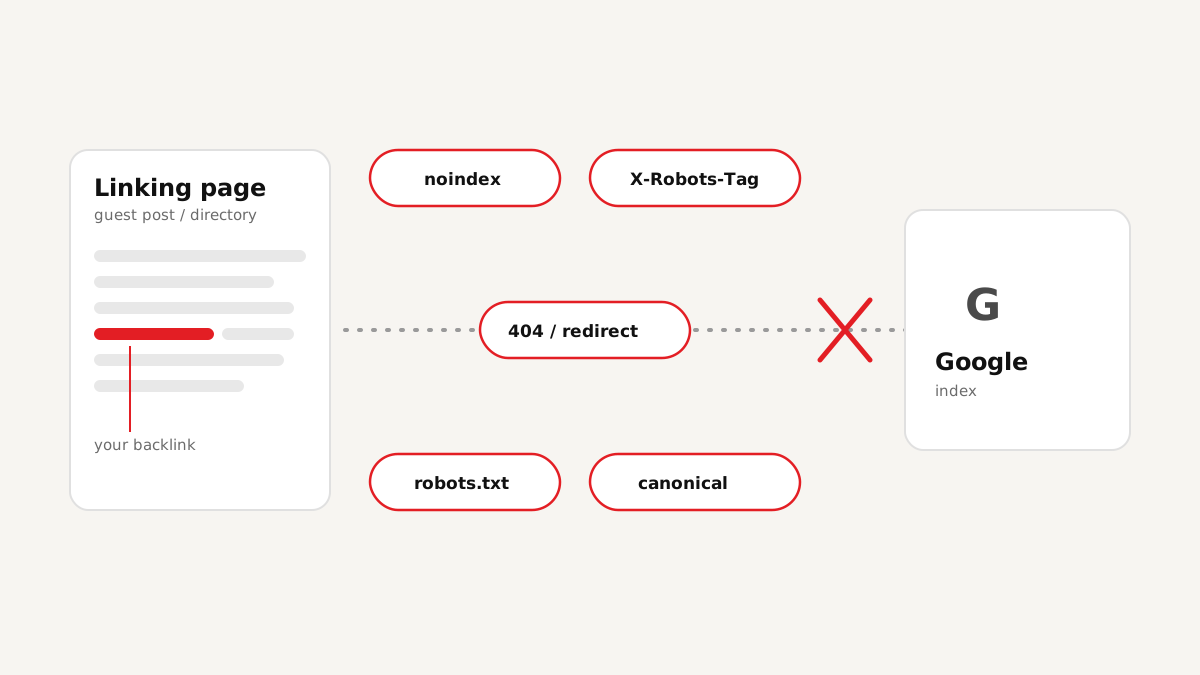
That is why link building has not gone away in the age of AEO and GEO. What has changed is that quality and proof matter far more than a big number in a report. A link that was removed, quietly switched to nofollow, or sits on a page Google never indexed does nothing for your rankings and nothing for your AI visibility. (How links and unlinked mentions differ for AI answers: brand mentions vs backlinks.)
Off-page SEO in 2026 is not about how many links you bought. It is about how many links you can prove are live, followed and indexed.
The old way of link building: Excel sheets, packages and blind trust
Ask ten SEO freelancers how they track links and most will say the same thing: a spreadsheet. Usually several. One for guest posts, one for directories, one for profile links, one the client sent, and a "final report" exported from somewhere else. Nothing is in sync, and nobody knows which version is current.
Then there are packages that promise "hundreds of premium rank-boosting links". At the end you get a report with 500 or 1,000 URLs. It looks impressive. But nobody can open a thousand pages by hand to check every link, so nobody does. And bulk links bought blind are exactly what Google's spam policies target.
| Task | Classic way (Excel + manual) | Smart workflow (backlink checker) |
|---|---|---|
| Keeping the link list | Several sheets, copies by email, no single truth | One project per website, every scan saved |
| Checking a link | Open the page, Ctrl+F, view source for rel and noindex | Crawler opens every page the way Google would |
| Time for 500 links | Days of clicking, so it is skipped | One scan, results in minutes |
| Is it dofollow? Indexable? | Usually not checked at all | Link type, anchor, robots, canonical, HTTP status per link |
| Is the page in Google? | A site: search per link, by hand | Google index check for the found links (Pro) |
| Links lost later | Found out months later, if ever | Re-scan any time and see lost, recovered and changed links (Pro) |
| Proof for the client | A sheet the client has to trust | Excel or branded PDF report from the same scan |
| Where to build next | Buy another list, guess | Link Opportunities: real pages where others got live links |
What we found when we rechecked 650 of our own backlinks
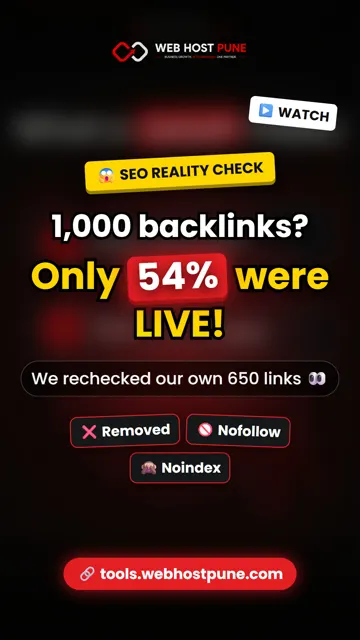
Before we built the tool, we did the boring test on ourselves. We exported 650 linking pages from our own Google Search Console links report and checked every one.
Almost half of the links Google Search Console listed for us were not simply "live". A link count is not proof. A checked link is.
| Result | Links | Share |
|---|---|---|
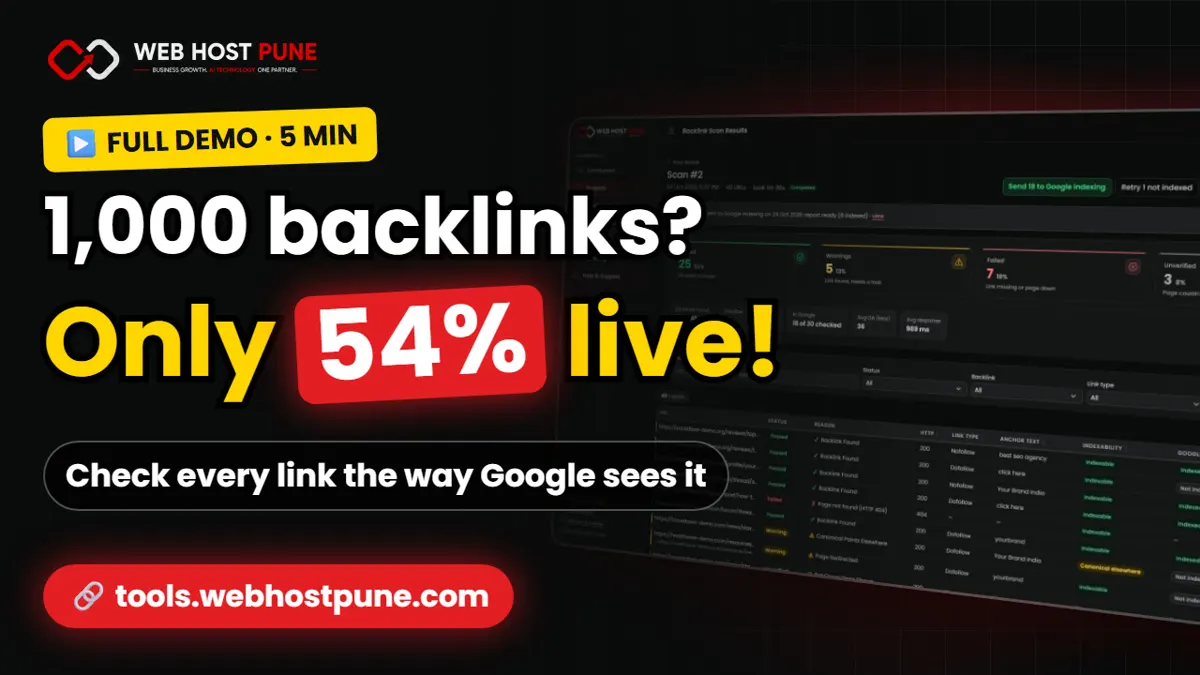
| Still live | 353 | 54% |
| Gone (removed, page deleted or site down) | 150 | 23% |
| Needed a manual look (bot check, login, JavaScript) | 147 | 23% |
The smart link building workflow, step by step
Here is the workflow we use for our own sites and for client work. It replaces the sheets with one place where every link is checked, saved and re-checked.
- Create a project per website and set the target domain, the site your links should point to.
- Paste the linking pages, one URL per line: your Search Console links export, a vendor's report, or your own outreach list. The review step removes duplicates and invalid lines before anything is checked.
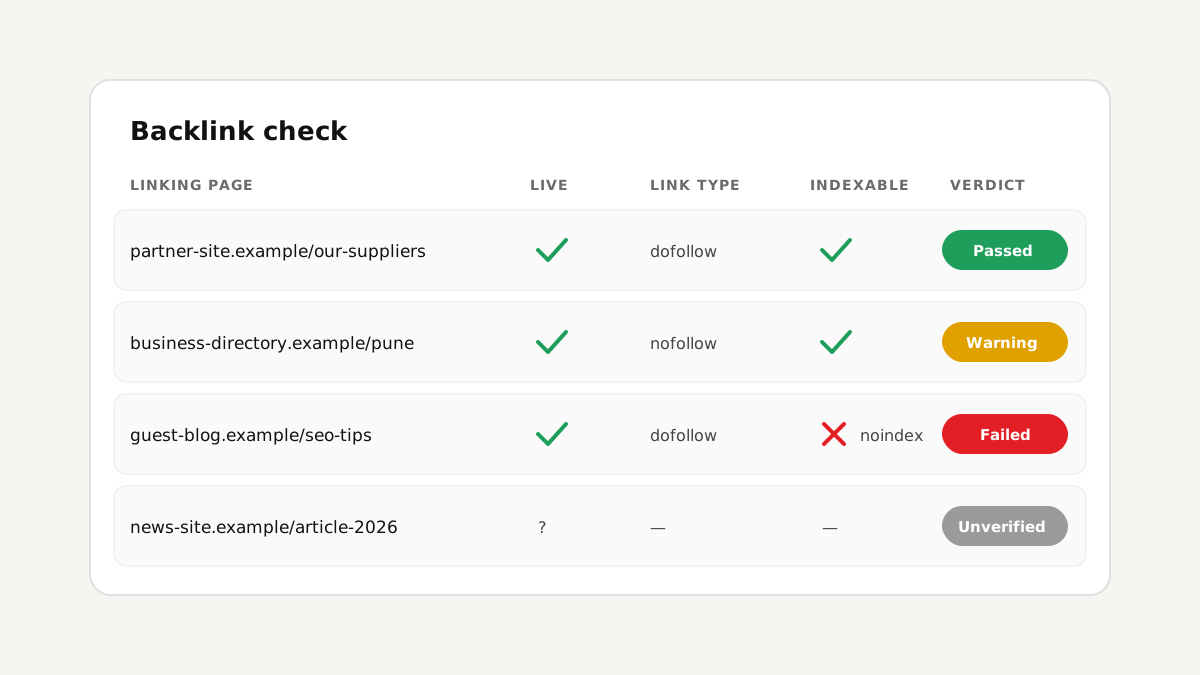
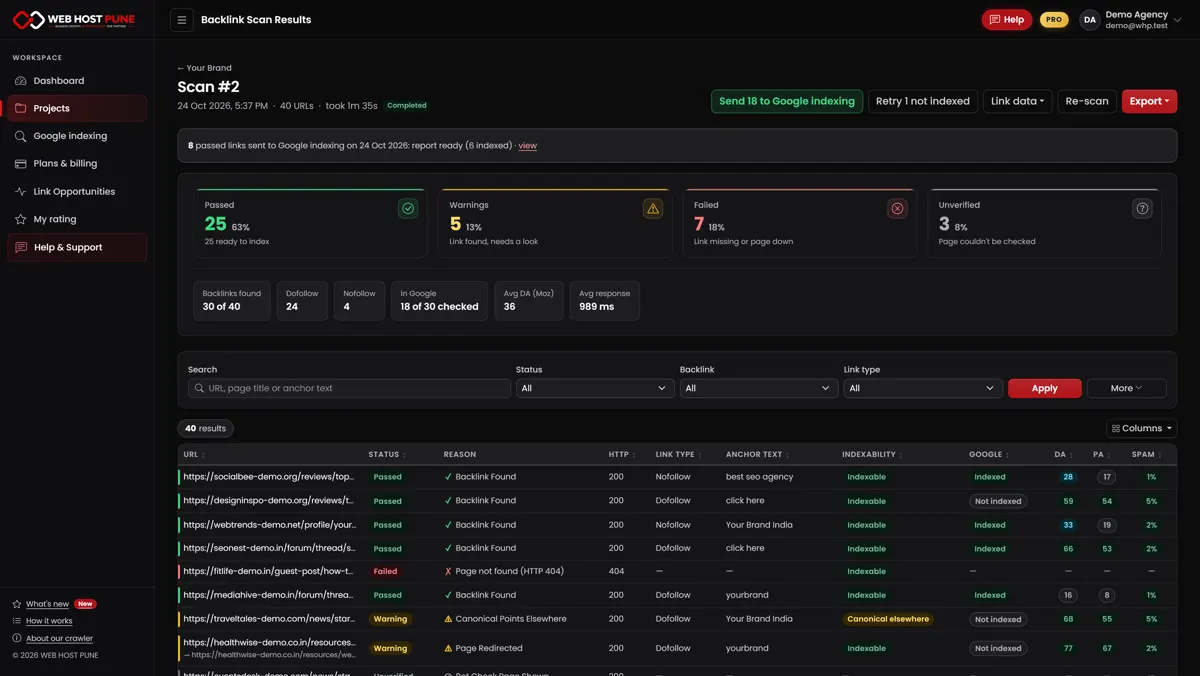
- Scan and read the verdicts. Every link gets one clear result with the reason: Passed (link found, page can be indexed), Warning (link found, but noindex, blocked, redirected or canonical elsewhere), Failed (link missing or page down) or Unverified (bot check, login or JavaScript, so we tell you instead of guessing).
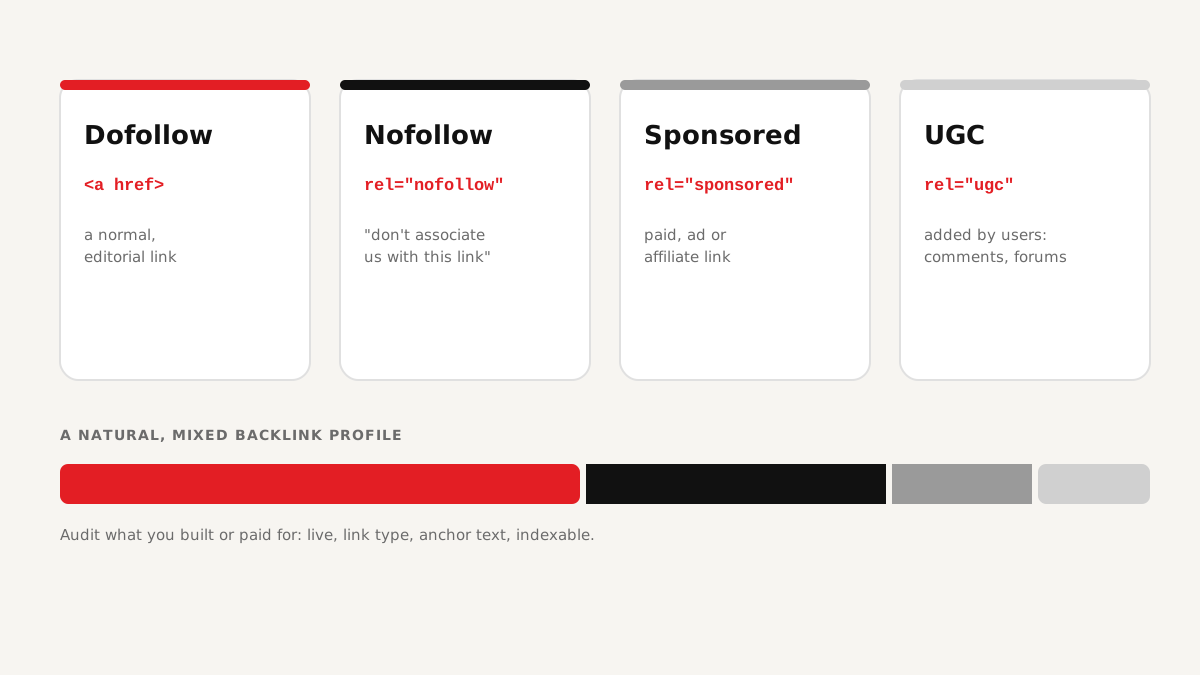
- Check the details: link type (dofollow, nofollow, sponsored, ugc), anchor text, exact target URL, robots meta, X-Robots-Tag, robots.txt, canonical and HTTP status. Filter and sort to find problems in seconds.
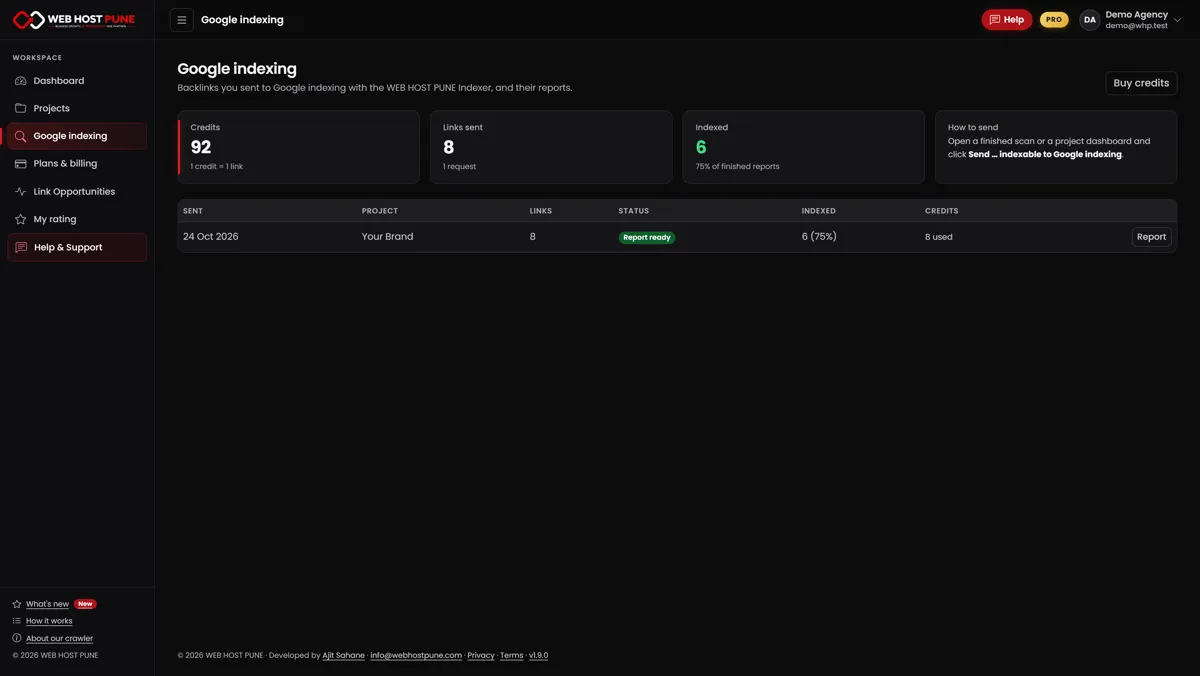
- Get new links seen by Google: check which link pages are already in Google, then send only the new, indexable ones to Google indexing (Pro).
- Export the proof as Excel or a branded PDF for your client, buyer or seller.
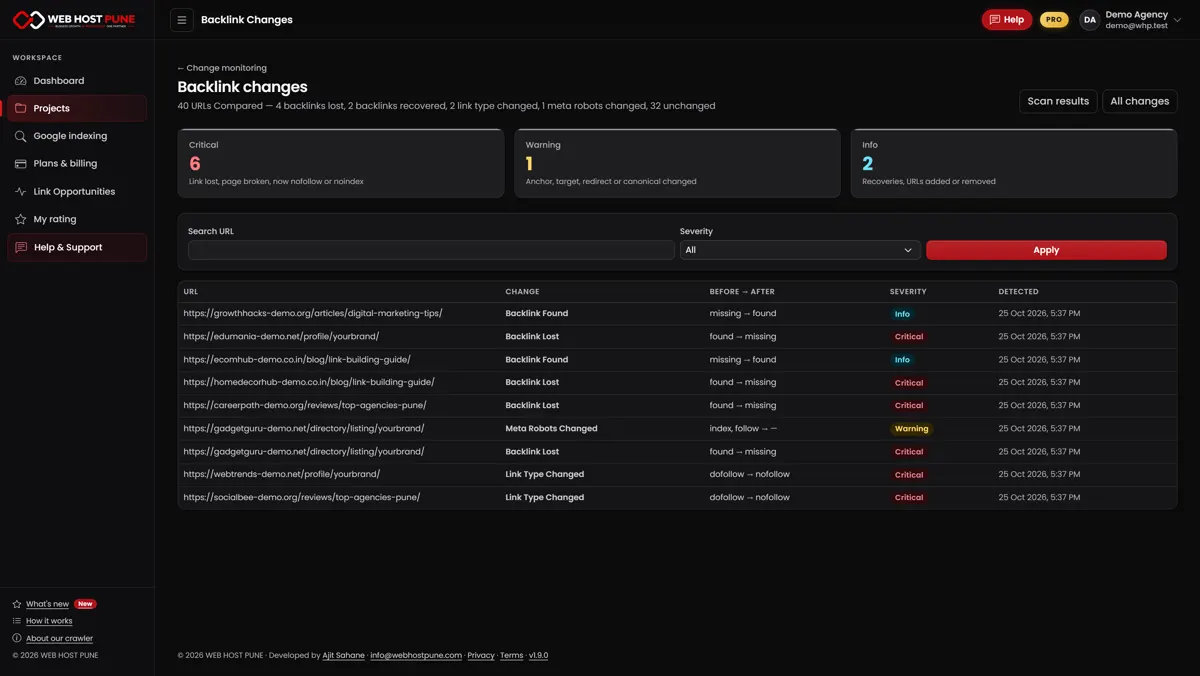
- Re-scan monthly and compare: links lost, recovered or switched to nofollow (Pro).
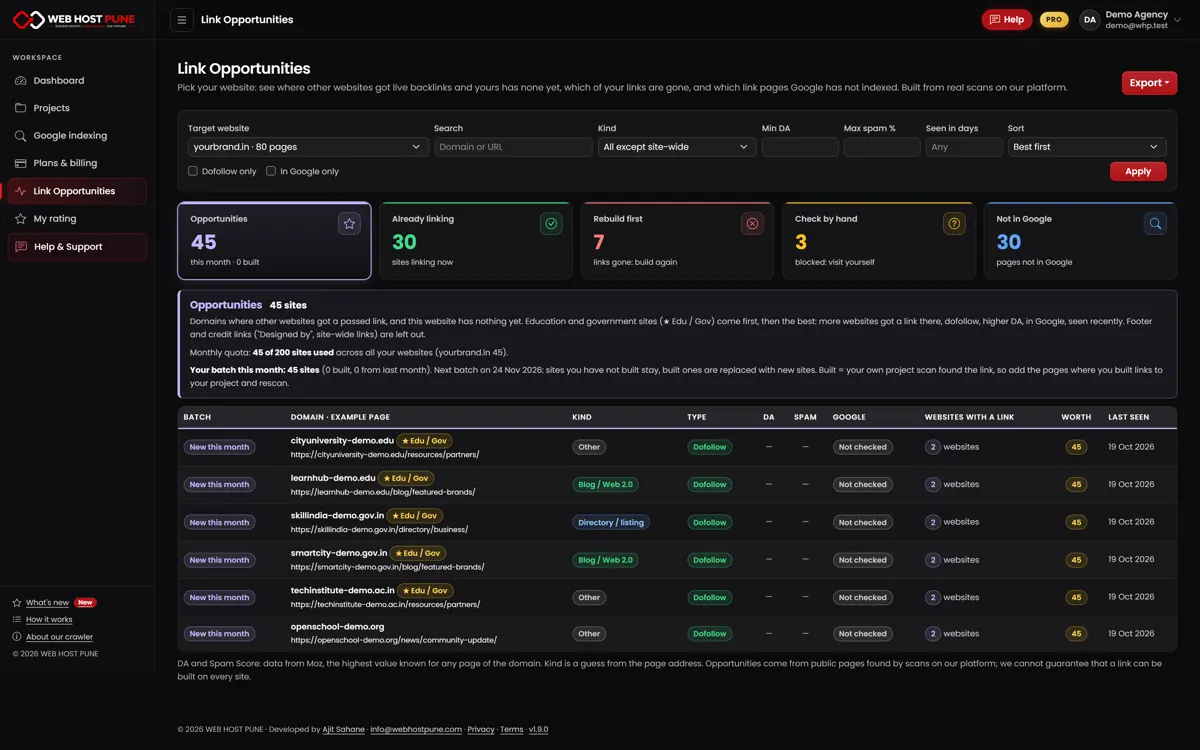
- Build where it works: pick new sites from Link Opportunities and add the pages to your project once the link is live.
Watch the full demo (4 minutes)
This video shows the whole workflow with demo data: the old way, the problem, who the tool is for, and every feature from the first scan to Link Opportunities. Prefer Hindi? Watch the Hinglish version (5:19), or see both on the backlink analysis tool demo page.
For clients: check the links you received before you pay for more
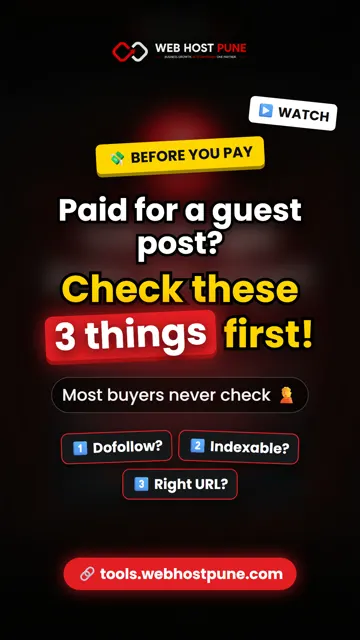
If you pay a freelancer, an agency or a marketplace seller for links, you are the one with the most to lose. Before you pay for the next batch, check three things for every link you were given (the full list is in 7 checks before you pay for a link building package):
Paste the report you received into a free account. If half the links fail, you have the proof to ask for replacements instead of paying again.
- Is it dofollow, or quietly nofollow or sponsored?
- Can Google index the page? A noindex tag or a robots.txt block means the link passes nothing.
- Right anchor text, right target URL? A link to the wrong page or a different domain does not help the page you paid for.
Built a new backlink? Google may not know it exists yet
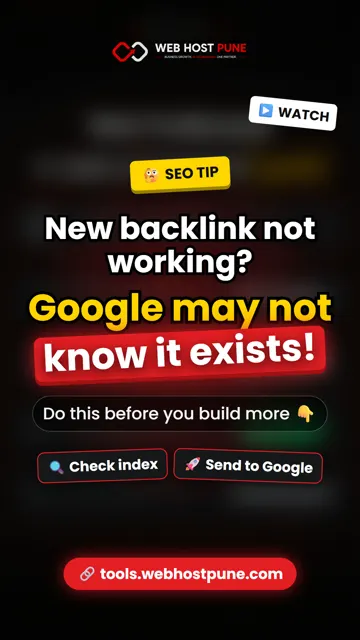
A link only helps once Google has indexed the page it sits on. New guest posts, profiles and directory listings often wait weeks to be crawled, or are never indexed at all.
The smart routine: check which linking pages are already in Google's index, then send only the new, indexable ones for indexing. Skip links from your Search Console report: Google already knows them. Our tool does the index check and the sending from the same scan (Pro), and shows the indexing report when it is ready. Step-by-step guide: how to get backlinks indexed by Google.
Backlinks disappear quietly: re-scan instead of hoping
The links you paid for do not stay forever. Pages get deleted, links get removed during an edit or switched to nofollow by a site-wide policy, and whole sites expire. Nobody emails you when it happens.
In the old Excel way you find out months later, if ever. In the smart way you re-scan the same project whenever you want, in minutes, and the tool (Pro) lists exactly what changed since the last scan: links lost, recovered, changed to nofollow, or pages that became noindex. Export the lost links and send them to the vendor as proof.
Stop guessing where to build: unique links from Link Opportunities
The slowest part of link building is finding where to build. Most "link lists" are the same tired sites everyone already used.
Link Opportunities (a Pro add-on) shows real pages where other websites got live, working links and your website has none yet. Education and government sites come first, then the rest sorted by dofollow, authority and Google index. You get 200 sites a month; sites you build are replaced with new ones in the next batch. That way each new link is a unique domain for you, not another copy of a list everyone bought.
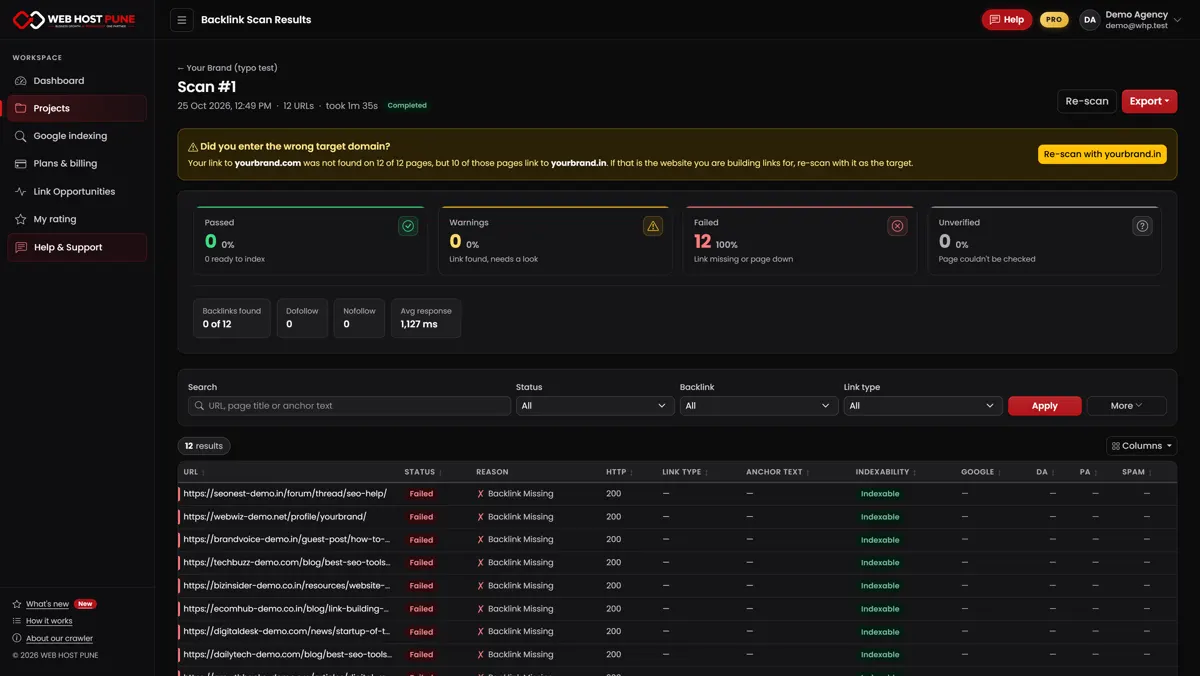
Every link shows "missing"? Check the target first
The most common reason a whole scan fails is simple: the wrong target domain, for example yourbrand.com when the links point to yourbrand.in. The tool spots this, suggests the right website and re-scans with one click. If anything is still unclear, press Help and chat with a real person from our team, right inside the tool.
Who this workflow is for: freelancer to agency to client
| You are | Your problem today | What changes |
|---|---|---|
| SEO, AEO or GEO freelancer | Clients doubt your link report | Send a checked PDF report with a verdict per link |
| Agency | Many clients, many sheets, no time to re-check | One project per client, re-scan monthly, export by domain |
| Link buyer or client | Paying for links you cannot verify | Check every delivered link before the next payment |
| Link seller | Buyers dispute delivered links | Share proof that each link is live and indexable |
| Website owner | No idea which links still count | Paste your Search Console links and see the truth |
The 30-second versions: our 6 reels
Short on time? Each reel covers one part of the workflow in about 30 seconds. Watch them all on our YouTube Shorts. Building brand mentions in communities too? Read Reddit and forum links for SEO and AI search.
Free and Pro at a glance
Start free and upgrade only when you need more. Plans, limits and prices can change over time, so see the current plans and prices. Pay with UPI or PayPal, with no auto-renewal. What other users say: backlink analysis tool reviews. How it compares with Ahrefs, Semrush, Moz and others: best backlink analysis tools, free vs paid.
| Feature | Free | Pro (at the time of writing) |
|---|---|---|
| Backlink checks | 100 in total, no card | 5,000 every 30 days, up to 500 URLs per scan |
| Projects | 1 | 20 |
| Verdict, link type, anchor, indexability | Yes | Yes |
| Excel and PDF export | Yes | Yes, plus export by domain |
| DA, PA and Spam Score (Moz) | No | Yes |
| Google index check and indexing | No | Yes |
| Change monitoring between scans | No | Yes |
| Link Opportunities (200 sites a month) | No | Add-on |
FAQ
Conclusion
Off-page SEO did not die with AI search; it grew up. The brands that win on Google and in AI answers are the ones whose links are real, followed and indexed, and who can prove it. Excel sheets and link counts cannot give you that proof. A simple workflow can: one project per website, a verdict for every link, re-scans in minutes, indexing for new links and new opportunities that are unique to you.
Whether you are a freelancer proving your work, an agency managing many clients, or a business owner checking what you paid for, start with one scan. Check your backlinks free and see how many of yours really count.