Why "the link was delivered" is not the same as "the link counts"
Most businesses build backlinks the ordinary way: a guest post, a directory or citation listing, a supplier or partner page, a press mention, sometimes a paid link package from an SEO vendor. At the end you get a list of URLs and a line in a report that says the links are done.
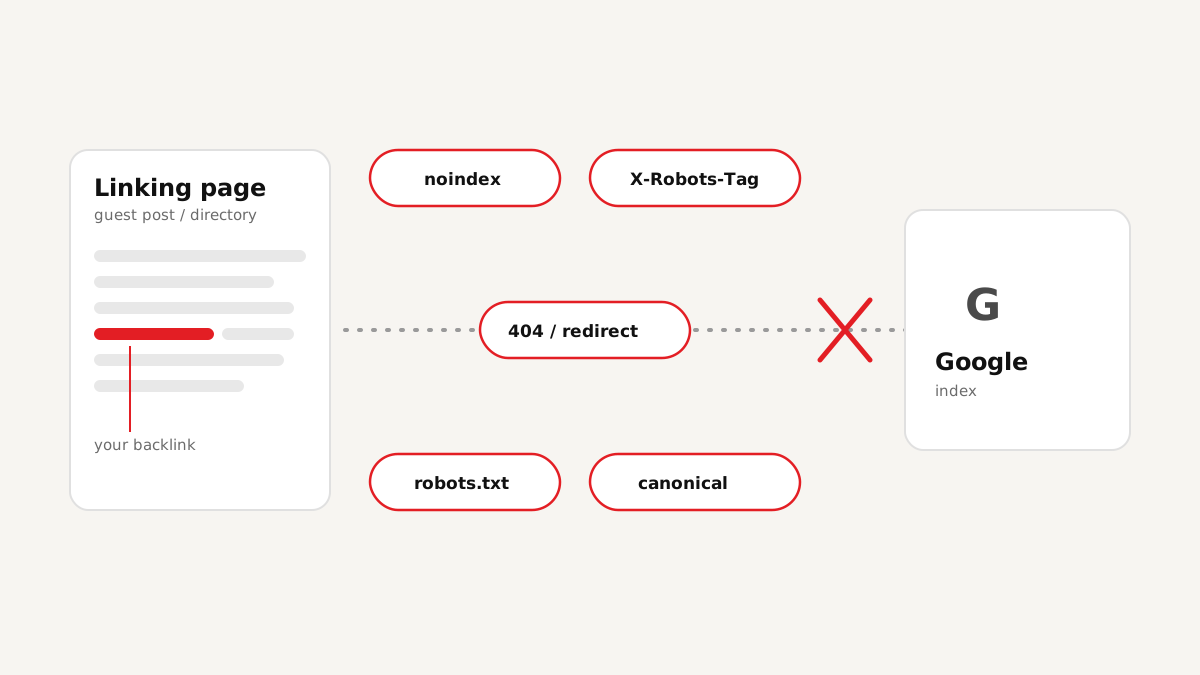
What that list doesn't tell you is whether each link can actually pass any value. In practice, a surprising share of links fail quietly: the article was edited and the link removed, the directory marks every outbound link nofollow, the page sits behind a noindex tag, or the whole section is blocked in robots.txt. To a visitor the page looks fine. To Google, the link might as well not exist.
That's why checking backlinks is a separate job from building them, and one worth doing before you pay an invoice, report results to a client, or submit links for indexing.
The four things to check on every backlink
Whatever tool you use, or if you do it by hand, a proper backlink check comes down to the same four questions:
| Check | What you're looking for | Why it matters |
|---|---|---|
| Is it live? | The linking page loads (HTTP 200) and still contains a link to your URL | Removed links and dead pages pass nothing |
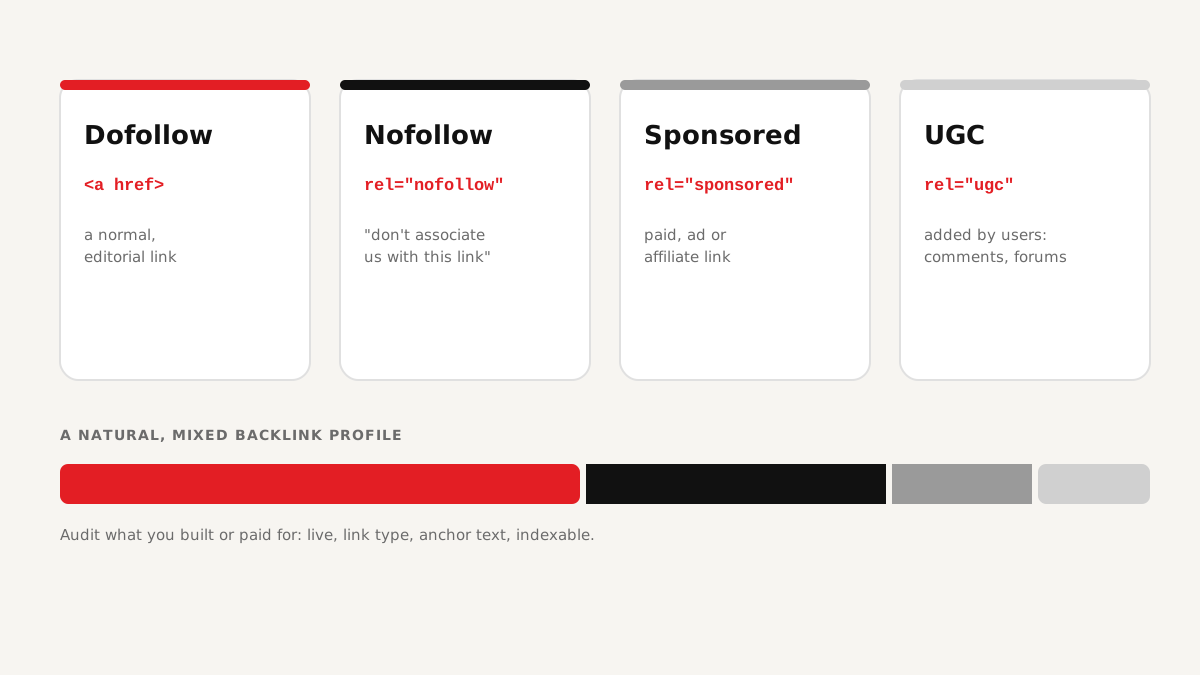
| Link type | The rel attribute: dofollow (none), nofollow, sponsored or ugc | Google treats nofollow, sponsored and ugc as hints and may not pass value |
| Anchor text | The clickable words used for the link | Shows relevance; too many identical exact-match anchors look unnatural |
| Indexability | No noindex (meta or X-Robots-Tag), not blocked by robots.txt, canonical pointing to itself, no redirect chain | If Google can't index the linking page, the link usually can't help you |
How to check backlinks manually (and why it doesn't scale)
For a handful of links you can do this in a browser. Open the linking page, use View source or the inspector to find your link and read its rel attribute, look in the page's <head> for a robots meta tag and a canonical tag, then open the site's /robots.txt and check whether that path is disallowed.
That's four or five minutes per link if nothing is unusual, and it still misses things a browser hides from you, like an X-Robots-Tag sent in the HTTP headers or a redirect that happens before the page loads. Multiply by fifty guest posts and directory listings and it stops being realistic.
Step by step: checking backlinks in bulk with a tool
We built our own backlink analysis tool, WEB HOST PUNE Tools, for exactly this job, after doing it by hand for client link reports for years. The process is the same with any decent checker:
- Collect the linking pages. Use the URLs from your SEO vendor's report, your own outreach records, or the "Links" report in Google Search Console. The tool checks the links you give it; it doesn't go looking for new ones.
- Paste them in and set your target. Add the linking page URLs and the website (or specific page) they should point to.
- Run the scan. The checker opens each page the way a crawler does, finds your link, and reads the link type, anchor text, robots meta, X-Robots-Tag header, robots.txt rules, canonical, HTTP status and redirects.
- Read the verdicts. Each link gets a clear result instead of a wall of raw data (more on that below).
- Export and act. Download the results as CSV, Excel or a PDF report to send to the vendor, your client, or your own team.
Reading the results: Passed, Warning, Failed, Unverified
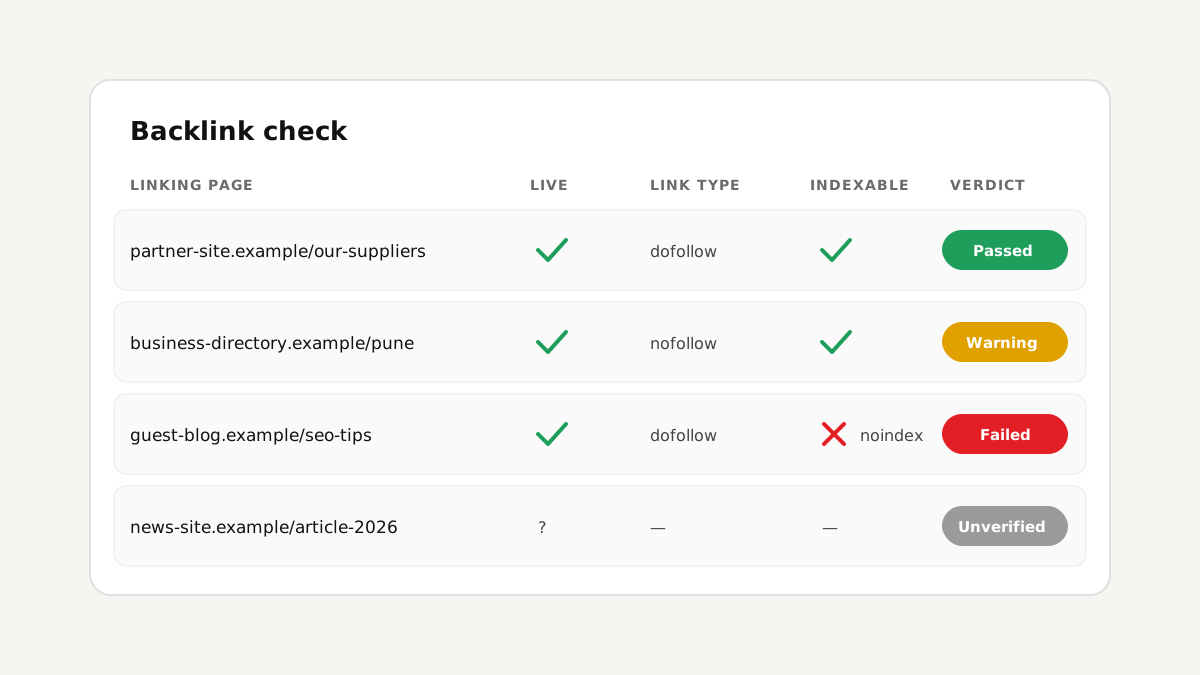
Raw crawl data is hard to act on, so it helps to sort every link into one of four buckets:
- Passed: the page is live, the link is there, it's followable, and nothing stops Google from indexing the page. This is a link doing its job.
- Warning: the link exists but something weakens it, for example a nofollow or sponsored attribute, or a canonical pointing to a different URL. Worth reviewing, not necessarily worth chasing.
- Failed: the link is missing, the page returns an error, or the page is blocked from indexing. As it stands, this link isn't helping you.
- Unverified: the checker couldn't confirm the result either way, for instance because the site refused the request or timed out. Re-check later or look at it by hand.
What to do with links that fail
A failed link isn't automatically a lost cause. What to do depends on why it failed:
Key takeaway: don't submit a link for indexing, or count it in a report, until you've confirmed it is live and indexable. Sending a blocked page to Google won't change Google's mind.
- Link removed or page gone: if it was a paid placement or part of an agreed package, raise it with whoever delivered it, with the report as evidence.
- Page set to noindex or blocked by robots.txt: politely ask the site owner; sometimes it's a mistake from a theme or plugin. Our post on why backlinks don't get indexed covers each blocker in detail.
- Nofollow where you expected dofollow: check what was actually agreed. Many directories and comment sections use nofollow or ugc by policy, and that's normal.
- Redirects or wrong target: if the link points at an old URL on your own site, make sure that URL redirects cleanly (one hop, 301) to the right page.
How often to re-check
Links change after the fact. Pages are edited, sites are redesigned, and whole blogs get deleted or switched to noindex. A one-time check right after delivery catches problems early, and a re-scan every month or two tells you which links you've lost since. If you manage links for clients, a regular re-check is also the simplest way to show that the work you reported is still in place.
FAQ
Conclusion
Backlinks are only as useful as their weakest point: a removed link, a nofollow attribute, or a noindex tag on the page can each cancel out the work that went into getting it. Checking every link for those four things (live, link type, anchor, indexability) turns a list of URLs into an honest picture of what you actually have, and gives you something concrete to act on when links go missing.