Why should I use Bing Webmaster Tools if most people use Google?
- AI answers: Microsoft Copilot and Bing's AI summaries are built on the Bing index, and other AI and search tools also use Bing data. Being well indexed in Bing helps you appear in more AI answers.
- Desktop and office users: Bing is the default search on many Windows computers and work laptops, where a lot of B2B research happens.
- Free data Google does not give: a backlinks report, a site scan for SEO issues, and AI citation data.
- Faster discovery: IndexNow lets you tell Bing about new pages instantly.
How do I add my website to Bing Webmaster Tools?
If you use a firewall, security plugin or country block, make sure Bingbot and visitors from the United States are allowed. A blocked crawler cannot index anything, however good your sitemap is.
- Go to bing.com/webmasters and sign in with a Microsoft, Google or Facebook account. Using the same Google account as your Search Console makes the next step easiest.
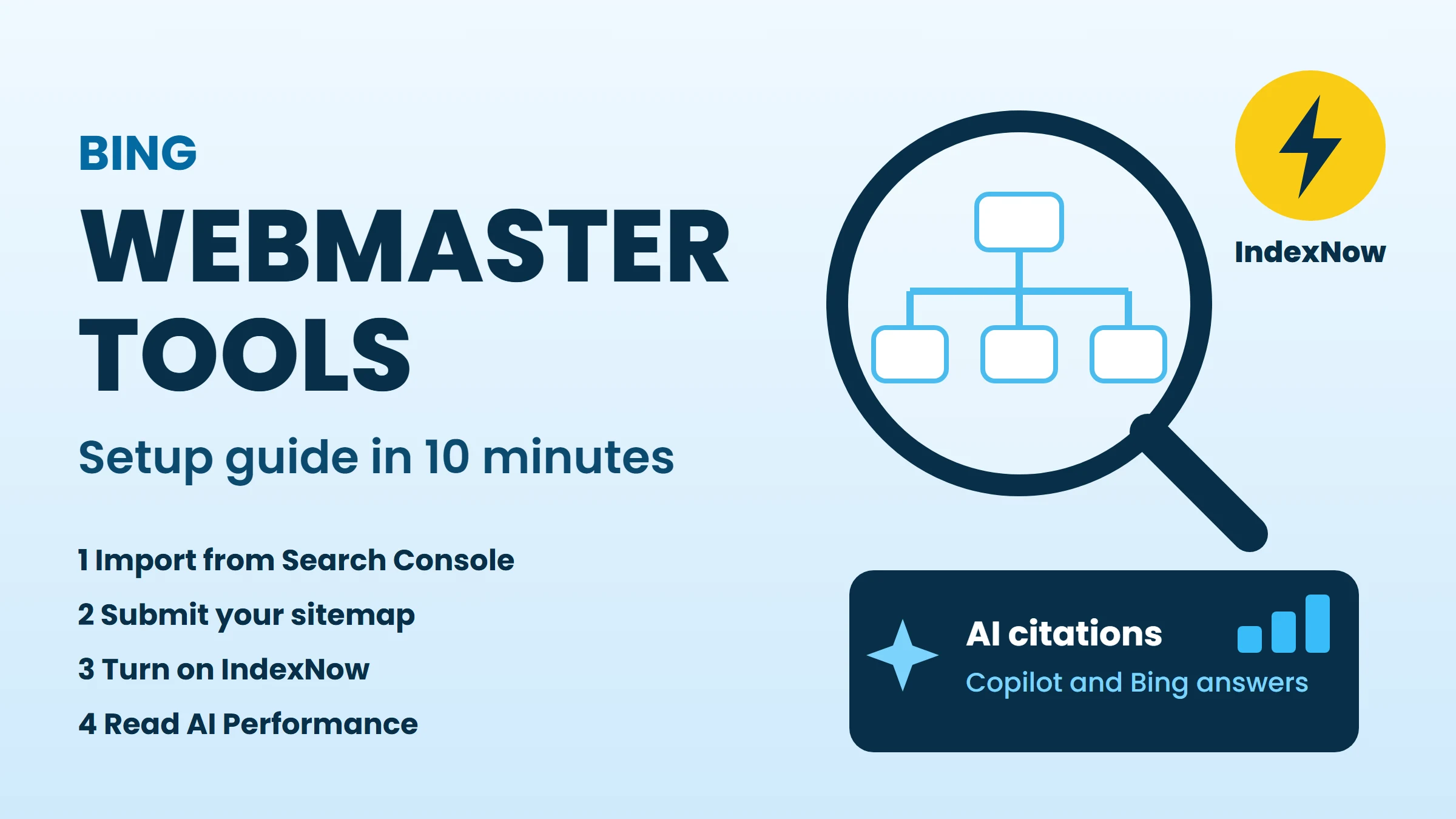
- Choose Import from Google Search Console, allow access, and select your sites. They are verified automatically, and your sitemaps come across too.
- No Search Console? Choose Add your site manually and verify with one of three methods: upload the BingSiteAuth.xml file to your website root, add a meta tag to your homepage, or add a CNAME record in your DNS.
- Open Sitemaps and confirm your sitemap is listed (for example
https://www.yourdomain.com/sitemap.xml). Submit it if not. - Add your sitemap line to
robots.txtas well, so every crawler can find it.
What is IndexNow and how do I turn it on?
IndexNow is an open protocol: when you publish, update or delete a page, your website sends the URL to participating search engines straight away. Bing is the best-known participant, and submissions are shared with the other participating engines. Google does not use IndexNow, so keep your sitemap for Google.
- Generate an API key (Bing Webmaster Tools can create one for you, or any random string of letters and numbers works).
- Save the key in a text file named after the key, for example
abc123.txt, in your website root, so engines can confirm the site is yours. - Send URLs when content changes: most CMS platforms have an IndexNow plugin or setting, and custom sites can send a simple request from a script after each publish.
- In Bing Webmaster Tools, open the IndexNow section to see the URLs received.
What does the AI Performance report show?
Microsoft added the AI Performance report to Bing Webmaster Tools as a public preview in February 2026. It is one of the first reports that shows how AI answers use your content.
- A citation is not a visit. Compare it with clicks in your analytics.
- It covers Microsoft's AI products, not every AI tool.
- Use the grounding queries as content ideas: they are the questions AI is answering with your pages.
| Data | What it tells you |
|---|---|
| Citations | How often your pages were cited as sources in Copilot and Bing AI answers |
| Cited pages | Which of your URLs are cited most |
| Grounding queries | The search phrases the AI used to find and cite your content |
| Trend | How citations change over time, for example after you update a page |
Which other Bing Webmaster Tools reports are worth using?
The Backlinks report lists links Bing knows about, but not whether each one is still live, dofollow or indexable today. Paste those linking pages into our backlink checker to verify them in one scan.
| Report | Use it to |
|---|---|
| Search Performance | See Bing clicks, impressions and queries, like Search Console |
| URL Inspection | Check whether a page is indexed and request indexing |
| Site Scan | Find missing titles, broken links and other on-page SEO issues |
| Backlinks | See sites linking to you (and compare with similar sites) |
| Robots.txt Tester | Confirm Bingbot is not blocked by mistake |
Bing Webmaster Tools monthly checklist
- Check Search Performance for new queries and pages gaining or losing clicks.
- Open AI Performance and note the most cited pages and grounding queries. Update those pages first.
- Run Site Scan and fix new errors.
- Confirm sitemaps show a recent download date and IndexNow is receiving URLs.
- Review the Backlinks report and verify new links.
FAQ
Conclusion
Bing Webmaster Tools takes ten minutes to set up and gives you a second index, faster discovery through IndexNow, a free backlinks list and the first real data on AI citations. Import your site from Search Console today, submit your sitemap, turn on IndexNow, and check the AI Performance report once a month.