In depth: Website Development Company in Pune
Design decides how it looks. Development decides whether it works.
It's a genuinely common point of confusion for a first-time client: website design and website development get talked about as if they're the same service, and in a lot of small agencies they effectively are — one person does both, badly labeled as one thing. We treat them as two connected disciplines because the failure modes are different. A design problem shows up as "this doesn't look right." A development problem shows up as "this form doesn't submit," "the page takes eight seconds to load," or "the site broke after the last update." Both matter, but they need different skills to fix properly.
Development is the part of the process where a design becomes an actual, functioning website — the code that renders the layout, handles form submissions, connects to a database if one's needed, and keeps working reliably after launch, not just on the day it ships.
Why we build on two different platforms, not one
Most local agencies pick one platform and use it for everything, because it's simpler to maintain one skill set. We build on both WordPress and custom PHP deliberately, because they solve genuinely different problems, and forcing every project onto one platform means either overbuilding a simple brochure site or underbuilding something that needed custom logic.
Neither platform is "better" in the abstract — the honest answer depends on what your specific project actually needs to do.
| If your site needs this… | The right fit is usually… |
|---|---|
| Content you'll update yourself regularly | WordPress |
| A standard business site, blog, or WooCommerce store | WordPress |
| Specific business logic a generic CMS can't model | Custom PHP |
| Integration with another system you already use | Custom PHP (usually) |
| A lean, purpose-built application, not a content site | Custom PHP |
What Pune businesses actually ask us to build
Most development work we take on in Pune falls into a handful of patterns. The businesses and their needs differ a lot between an MIDC manufacturer in Chakan or Bhosari, an IT services firm in Hinjewadi or Kharadi, and a trader near Market Yard — but the underlying build types repeat:
| What you need | Typical Pune business | Real example from our work |
|---|---|---|
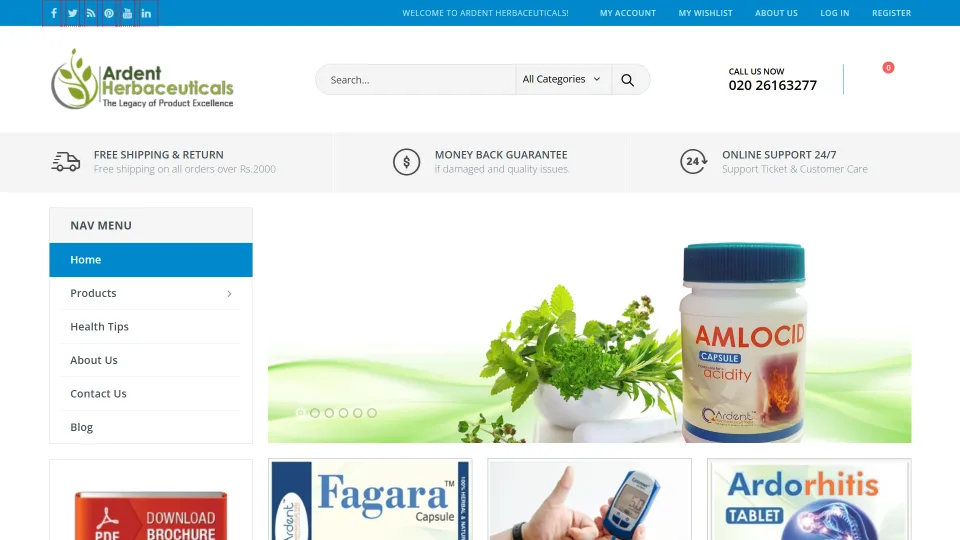
| Online store with cart, checkout and payments | Retailers, D2C brands, food and wellness products | Ardent Herbaceuticals — full e-commerce build |
| Two-sided portal (suppliers and buyers) | Agri, food processing, distribution | Khemanand Dehydration — farmer and buyer portals |
| Booking or reservation flow | Travel, car rental, hotels | Jai Hanuman Tours & Travels, Bhosari |
| Large product catalogue with enquiry | Manufacturers and industrial suppliers | Marvel Engineers — multi-category catalogue |
| Business software beyond a website | Dairy distributors, traders, real estate firms | See our custom software work |
Why hire a local website development company in Pune?
Development projects involve more back-and-forth than design alone — business rules, data, integrations, testing. Working with a Pune team means you can sit down with the developer at our Dighi office to walk through how your business actually works, and the same team hosts, maintains and extends the application after launch. That continuity matters more for a custom application than for any other kind of website: the people who wrote the code are the ones who fix and extend it.
If your project is mainly about how the site looks and presents your business, start with our web design company in Pune page instead — most projects need both, and we handle both together.
This is also where e-commerce development sits — a WooCommerce store on WordPress covers most online-store needs cleanly, but a store with unusual checkout logic, complex product configurations, or integration with an existing inventory system sometimes needs a more custom approach. We'll tell you honestly which situation you're in rather than defaulting to whichever platform is easier for us.
How AI has actually changed web development — and what hasn't changed
Web development has genuinely changed in the last couple of years, on two separate fronts worth distinguishing clearly: how a site gets built, and what a finished site can do once it's live.
| The classic way | The AI-enhanced way |
|---|---|
| Every line of code written and debugged manually | AI-assisted development speeds up routine coding, letting us focus more time on the decisions that actually matter — structure, security, real functionality |
| A finished website is a static, one-way experience — it shows information, it doesn't reason about it | A site or application can expose its own data through a structured interface an AI assistant can query |
| Adding a new integration means custom-coding a connection from scratch | Standardized connection protocols reduce how much custom integration code a new AI-facing feature actually needs |
On the build side: modern AI-assisted coding tools genuinely speed up parts of development — boilerplate code, routine patterns, first-draft implementations — which we use where it helps, while still applying the same judgment and testing discipline to what actually ships. AI writing code faster doesn't change whether that code is secure, well-structured, or correct — that's still a human responsibility, and treating AI output as a finished product without review is exactly the kind of shortcut that creates the messy, hard-to-maintain sites we get called in to fix.
On the finished-product side: a site or application we build can be structured to expose its data through MCP (Model Context Protocol), an open standard for letting AI tools securely query and act on a system's real data. For a business application with real data behind it — inventory, bookings, customer records — this means the system can eventually be queried and acted on by AI tools your business connects, not just browsed by a person clicking through pages. It's a genuine architectural capability we can build toward, not a marketing checkbox added at the end.